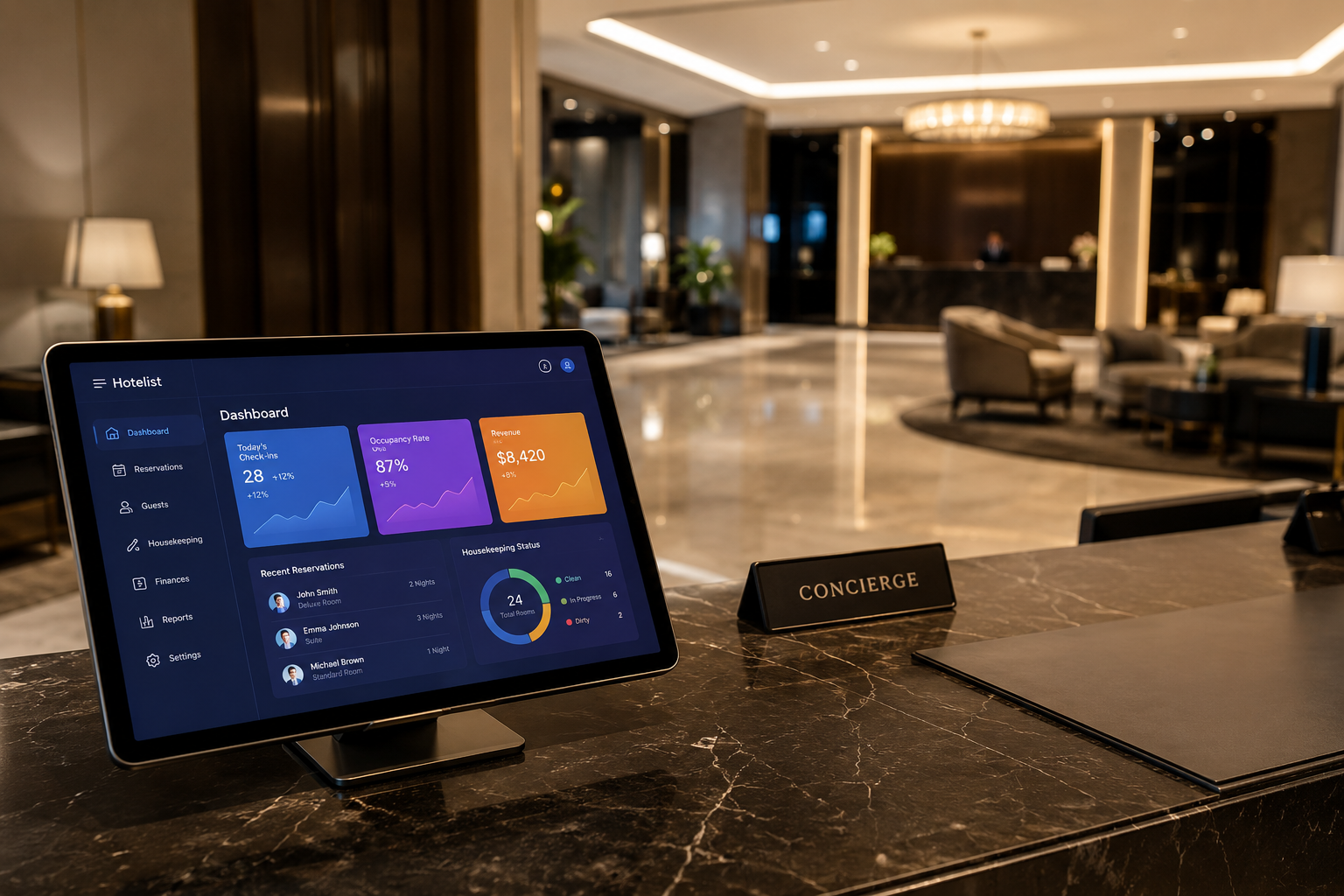



บทนำเกี่ยวกับแนวโน้มการขายห้องพักบนช่องทาง OTA
ในยุคเทคโนโลยีดิจิทัล การปรากฏตัวบนแพลตฟอร์มการจองห้องพักออนไลน์ (OTA - Online Travel Agent) เช่น Booking.com และ Agoda ถือเป็นสิ่งจำเป็นสำหรับสถานประกอบการที่พักทุกแห่ง ตั้งแต่โฮมสเตย์ขนาดเล็กไปจนถึงโรงแรมระดับ 5 ดาว อย่างไรก็ตาม การบริหารจัดการหลายแพลตฟอร์มพร้อมกันด้วยตนเองมักนำไปสู่ข้อผิดพลาดที่ไม่ควรเกิดขึ้น นี่คือเหตุผลที่โซลูชัน การซิงค์ OTA ผ่านระบบการจัดการโรงแรม (PMS) มีความสำคัญมากกว่าที่เคย
ทำไมต้องซิงค์ Booking.com และ Agoda ด้วย PMS?
การจัดการช่องทางการขายห้องพักแต่ละช่องทางแยกกันทำให้เจ้าของโรงแรมต้องเผชิญกับความเสี่ยงมากมาย และนี่คือเหตุผลที่คุณควรทำการ ซิงค์ OTA ทันที:
1. ขจัดปัญหา Overbooking อย่างสมบูรณ์
Overbooking (การจองเกิน) เกิดขึ้นเมื่อห้องพักถูกขายไปแล้วบน Agoda แต่ระบบบน Booking.com ยังคงแสดงสถานะว่าง เมื่อมีการจองซ้ำ โรงแรมจะต้องชดเชยหรือย้ายลูกค้าไปยังที่อื่น ซึ่งส่งผลกระทบอย่างรุนแรงต่อชื่อเสียง ด้วย PMS เมื่อมีคำสั่งซื้อจากช่องทางใดช่องทางหนึ่ง จำนวนห้องว่างบนช่องทางอื่นๆ ทั้งหมดจะลดลงโดยอัตโนมัติในพริบตา
2. ประหยัดเวลาและทรัพยากร
แทนที่จะต้องเข้าสู่ระบบ extranet ของแต่ละแพลตฟอร์มอย่าง Booking.com หรือ Agoda เพื่ออัปเดตราคาและเปิด/ปิดห้องพัก คุณเพียงแค่ดำเนินการขั้นตอนเดียวบนซอฟต์แวร์ PMS ซึ่งช่วยประหยัดเวลาในการบริหารจัดการรายวันได้ถึง 80%
3. การบริหารรายได้ (Revenue Management)
ระบบ PMS ที่รวมระบบจัดการช่องทางการขาย (Channel Manager) ช่วยให้คุณสามารถปรับราคาได้อย่างยืดหยุ่นตามฤดูกาลหรือตามความต้องการของตลาดในทุกแพลตฟอร์มพร้อมกัน ช่วยเพิ่มกำไรสูงสุด
กลไกการทำงานของการซิงค์ OTA ผ่าน PMS
กระบวนการ ซิงค์ OTA เกิดขึ้นผ่านอินเตอร์เฟสการเขียนโปรแกรมประยุกต์ (API) เมื่อโรงแรมเชื่อมต่อ PMS กับแพลตฟอร์มต่างๆ เช่น Booking.com หรือ Agoda การไหลของข้อมูลจะเป็นแบบสองทิศทาง:
- ขาออก: PMS จะส่งข้อมูลเกี่ยวกับจำนวนห้องว่าง (Inventory) ราคาห้องพัก (Rates) และเงื่อนไขการจองไปยังช่องทาง OTA ต่างๆ
- ขาเข้า: เมื่อมีการจองใหม่จาก OTA ข้อมูลลูกค้า วันที่เช็คอิน/เช็คเอาต์ และรายได้จะถูกส่งกลับไปยัง PMS เพื่อบันทึกเข้าสู่ระบบการจัดการส่วนกลาง
ตารางเปรียบเทียบ: การจัดการด้วยตนเอง vs การซิงค์ด้วย PMS
| เกณฑ์ | การจัดการด้วยตนเอง | การซิงค์ด้วย PMS |
|---|---|---|
| ความเร็วในการอัปเดต | ช้า (5-15 นาที) | ทันที (น้อยกว่า 2 วินาที) |
| ความเสี่ยง Overbooking | สูงมาก | เกือบเป็นศูนย์ |
| บุคลากรฝ่ายปฏิบัติการ | ต้องใช้พนักงานดูแลหลายคน | ใช้ผู้ดูแลเพียง 1 คน |
| ความถูกต้องของข้อมูล | ง่ายต่อการเกิดข้อผิดพลาดจากมนุษย์ | มีความแม่นยำอย่างสมบูรณ์ |
ขั้นตอนการดำเนินการซิงค์ข้อมูล OTA สำหรับโรงแรม
เพื่อเริ่มต้นกระบวนการ ซิงค์ข้อมูล OTA อย่างมืออาชีพ คุณต้องปฏิบัติตามขั้นตอนต่อไปนี้:
ขั้นตอนที่ 1: การเลือกซอฟต์แวร์ PMS ที่เหมาะสม
โปรดเลือกซอฟต์แวร์ PMS ที่มีระบบ Channel Manager ในตัว และเป็นพันธมิตรอย่างเป็นทางการของ Booking.com และ Agoda (Preferred Partner) สิ่งนี้จะช่วยรับประกันการเชื่อมต่อที่เสถียรและความเร็วในการรับส่งข้อมูลที่รวดเร็วที่สุด
ขั้นตอนที่ 2: การเชื่อมต่อ API กับแพลตฟอร์มต่างๆ
คุณต้องระบุ Hotel ID ของโรงแรมบน Booking/Agoda ให้กับผู้ให้บริการ PMS เพื่อดำเนินการขอเชื่อมต่อ จากนั้น ให้คุณเข้าสู่ระบบ Extranet ของ OTA เพื่อยืนยันสิทธิ์การจัดการให้กับ PMS
ขั้นตอนที่ 3: การจับคู่ (Mapping) ห้องพักและราคา
นี่คือขั้นตอนที่สำคัญที่สุด คุณต้องแน่ใจว่าประเภทห้องพักบน PMS ตรงกับประเภทห้องพักบน OTA อย่างสมบูรณ์ ตัวอย่างเช่น ห้องพัก "Deluxe Double" บน PMS จะต้องเชื่อมต่ออย่างถูกต้องกับ "Deluxe Double" บน Agoda
ขั้นตอนที่ 4: การตรวจสอบและการใช้งานจริง
หลังจากเชื่อมต่อแล้ว ให้ลองเปลี่ยนราคาหรือจำนวนห้องพักบน PMS และตรวจสอบว่าบนแพลตฟอร์ม OTA ต่างๆ มีการเปลี่ยนแปลงตามนั้นหรือไม่ ก่อนที่จะเริ่มใช้งานอย่างเป็นทางการ
ข้อควรระวังที่สำคัญเมื่อซิงค์ OTA
แม้ว่าการซิงค์ OTA จะนำประโยชน์มาให้มากมาย แต่เจ้าของโรงแรมจำเป็นต้องคำนึงถึงสิ่งต่อไปนี้:
- ตรวจสอบการเชื่อมต่ออย่างสม่ำเสมอ: บางครั้งข้อผิดพลาดของเครือข่ายหรือการอัปเดตระบบจากฝั่ง OTA อาจทำให้การเชื่อมต่อหยุดชะงักได้
- จัดการนโยบายการยกเลิกห้องพัก: ตรวจสอบให้แน่ใจว่านโยบายบน PMS และ OTA ตรงกันเพื่อหลีกเลี่ยงข้อพิพาทกับลูกค้า
- ใช้ประโยชน์จากรายงาน: ใช้ข้อมูลจาก PMS เพื่อวิเคราะห์ว่าช่องทางใด (Booking หรือ Agoda) มีประสิทธิภาพมากกว่า เพื่อวางกลยุทธ์ทางการตลาดที่เหมาะสม
FAQ - คำถามที่พบบ่อยเกี่ยวกับการซิงค์ OTA
1. การซิงค์ OTA มีค่าใช้จ่ายหรือไม่?
โดยทั่วไป ผู้ให้บริการ PMS จะเก็บค่าบริการเป็นรายเดือนหรือตามจำนวนห้องพัก อย่างไรก็ตาม ค่าใช้จ่ายนี้ถือว่าน้อยมากเมื่อเทียบกับจำนวนเงินที่คุณประหยัดได้จากการลดข้อผิดพลาดและการเพิ่มประสิทธิภาพของบุคลากร
2. หากการเชื่อมต่ออินเทอร์เน็ตขาดหาย การซิงค์จะหยุดลงหรือไม่?
ระบบ PMS ส่วนใหญ่ในปัจจุบันทำงานบนระบบคลาวด์ (Cloud) การซิงค์จะเกิดขึ้นระหว่างเซิร์ฟเวอร์ของ PMS และเซิร์ฟเวอร์ของ OTA ดังนั้น แม้ว่าคอมพิวเตอร์ที่โรงแรมจะขาดการเชื่อมต่ออินเทอร์เน็ต การซิงค์ก็ยังคงดำเนินต่อไปได้ตามปกติ
3. ฉันสามารถซิงค์ช่องทาง OTA ได้กี่ช่องทางพร้อมกัน?
ไม่มีข้อจำกัด คุณสามารถซิงค์ Booking.com, Agoda, Expedia, Traveloka, Airbnb... พร้อมกันบนหน้าจอ PMS เดียวกันได้
บทสรุป
การซิงค์ OTA ด้วย PMS ไม่ใช่ทางเลือกอีกต่อไป แต่กลายเป็นข้อกำหนดที่จำเป็นในการแข่งขันในอุตสาหกรรมโรงแรมยุคใหม่ ช่วยให้คุณปรับปรุงกระบวนการทำงานให้เป็นมืออาชีพ ขจัดความเสี่ยง และมุ่งเน้นไปที่การยกระดับประสบการณ์ของลูกค้า หากคุณยังคงจัดการด้วยตนเอง ลองพิจารณาเปลี่ยนมาใช้ระบบ PMS ตั้งแต่วันนี้เพื่อสร้างการเติบโตของรายได้อย่างก้าวกระโดด